Agent Vault uses SMTP to send registration verification codes, vault invite emails, proposal approval links, and test emails. If AGENT_VAULT_SMTP_HOST is unset, email notifications are silently disabled. See environment variables for the full list of SMTP variables.

Provider guides

Set the following environment variables for any SMTP provider:
AGENT_VAULT_SMTP_HOST
string
default:"none"
Hostname of the SMTP server to connect to.
AGENT_VAULT_SMTP_PORT
string
default:"587"
Port of the SMTP server. Use 465 for implicit TLS, 587 for STARTTLS.
AGENT_VAULT_SMTP_USERNAME
string
default:"none"
SMTP authentication username.
AGENT_VAULT_SMTP_PASSWORD
string
default:"none"
SMTP authentication password.
AGENT_VAULT_SMTP_FROM
string
default:"none"
Sender email address (e.g. team@example.com).
AGENT_VAULT_SMTP_FROM_NAME
string
default:"Agent Vault"
Display name used in the From header of outgoing emails.
AGENT_VAULT_SMTP_TLS_MODE
string
default:"opportunistic"
TLS behavior for non-465 ports: opportunistic (try STARTTLS, fall back to plain), required (STARTTLS must succeed), none (skip STARTTLS). Port 465 always uses implicit TLS.
AGENT_VAULT_SMTP_TLS_SKIP_VERIFY
bool
default:"false"
Skip TLS certificate verification. Useful for self-signed certificates in development, not recommended for production.
  1. Create an account and configure SendGrid to send emails.
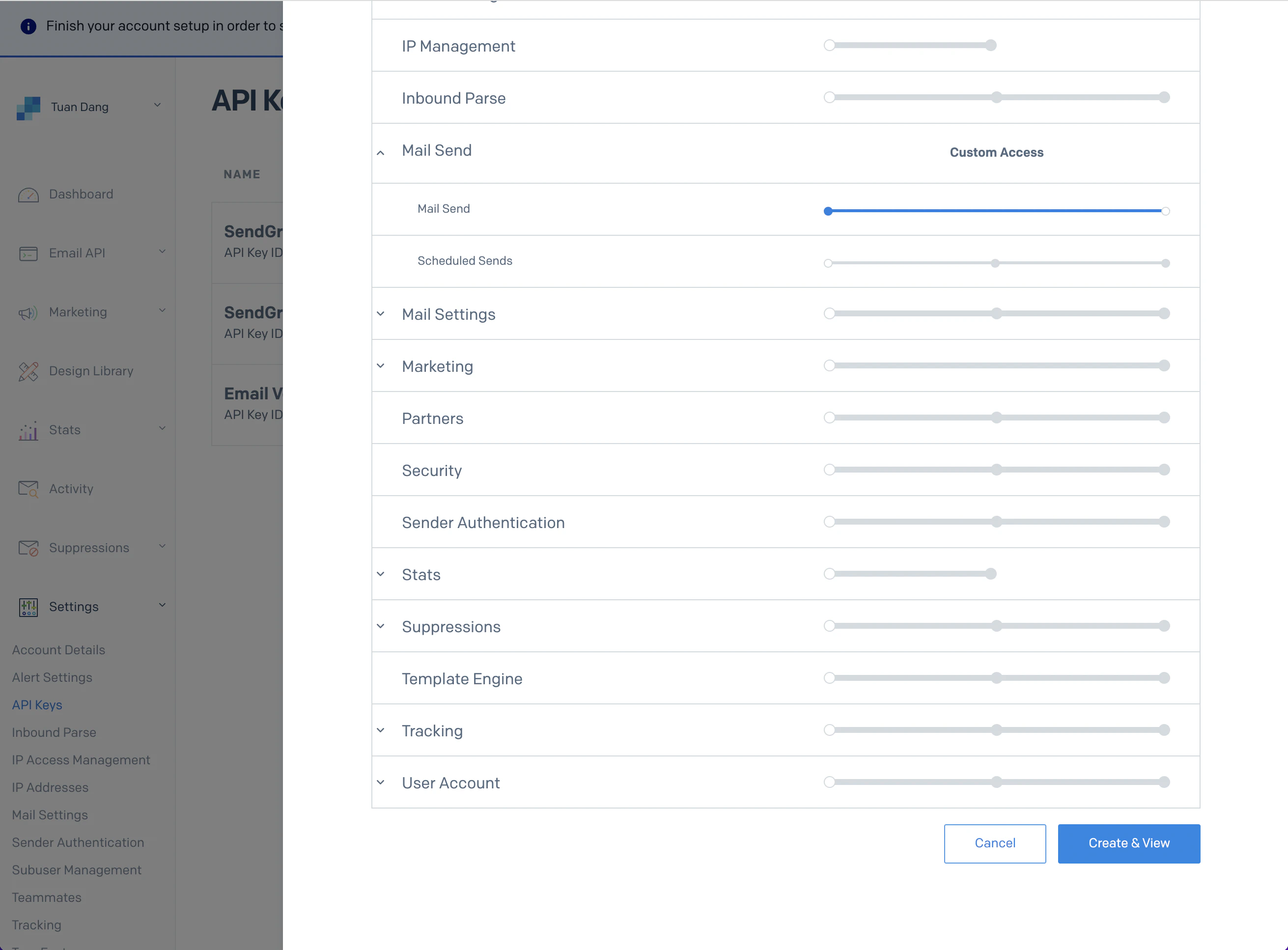
  2. Create a SendGrid API Key under Settings > API Keys.
  3. Set a name for your API Key and select the “Restricted Key” option. Enable the “Mail Send” permission:
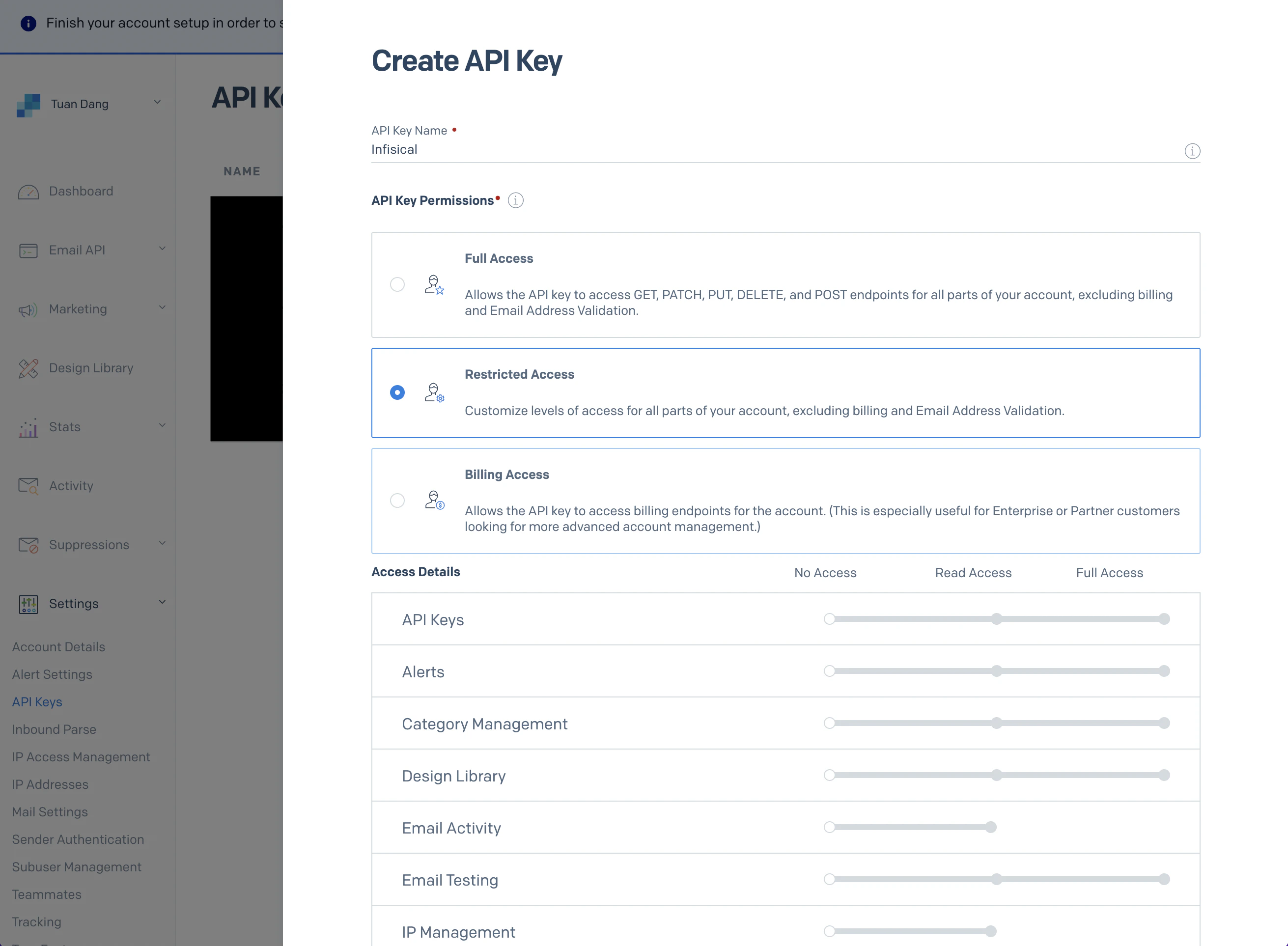
creating SendGrid API keysetting SendGrid API key restriction
  1. With the API Key, set your SMTP environment variables:
AGENT_VAULT_SMTP_HOST=smtp.sendgrid.net
AGENT_VAULT_SMTP_USERNAME=apikey
AGENT_VAULT_SMTP_PASSWORD=SG.xxxxx # your SendGrid API Key
AGENT_VAULT_SMTP_PORT=587
AGENT_VAULT_SMTP_FROM=hey@example.com
AGENT_VAULT_SMTP_FROM_NAME=Agent Vault
Remember to restart Agent Vault after changing environment variables.
  1. Create an account and configure Mailgun to send emails.
  2. Obtain your Mailgun credentials in Sending > Overview > SMTP.
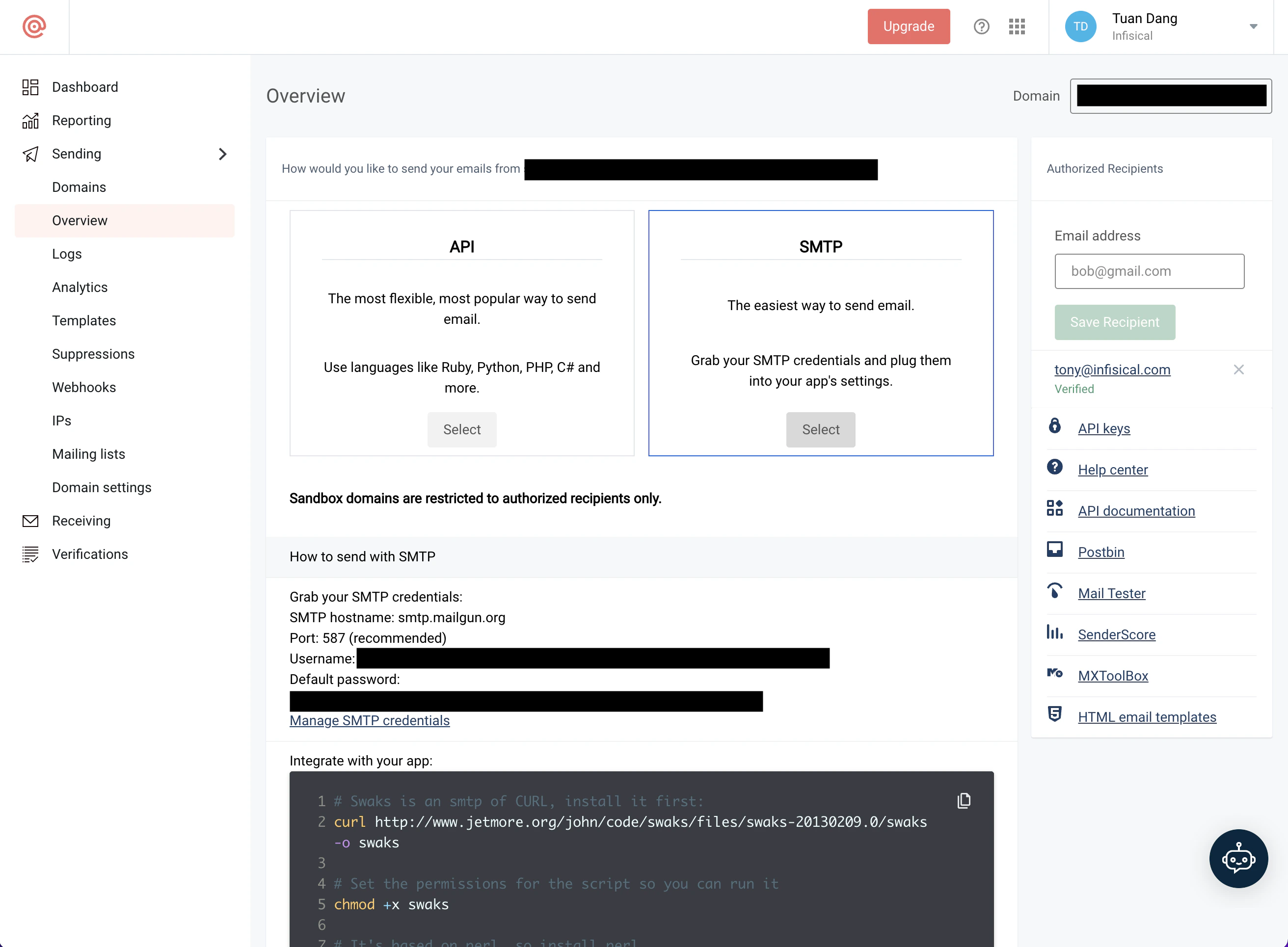
obtaining Mailgun credentials
  1. With your Mailgun credentials, set your SMTP environment variables:
AGENT_VAULT_SMTP_HOST=smtp.mailgun.org
AGENT_VAULT_SMTP_USERNAME=postmaster@example.mailgun.org
AGENT_VAULT_SMTP_PASSWORD=password # from credentials page
AGENT_VAULT_SMTP_PORT=587
AGENT_VAULT_SMTP_FROM=hey@example.com
AGENT_VAULT_SMTP_FROM_NAME=Agent Vault
1

Create a verified identity

This will be used to verify the email you are sending from.Create SES identity
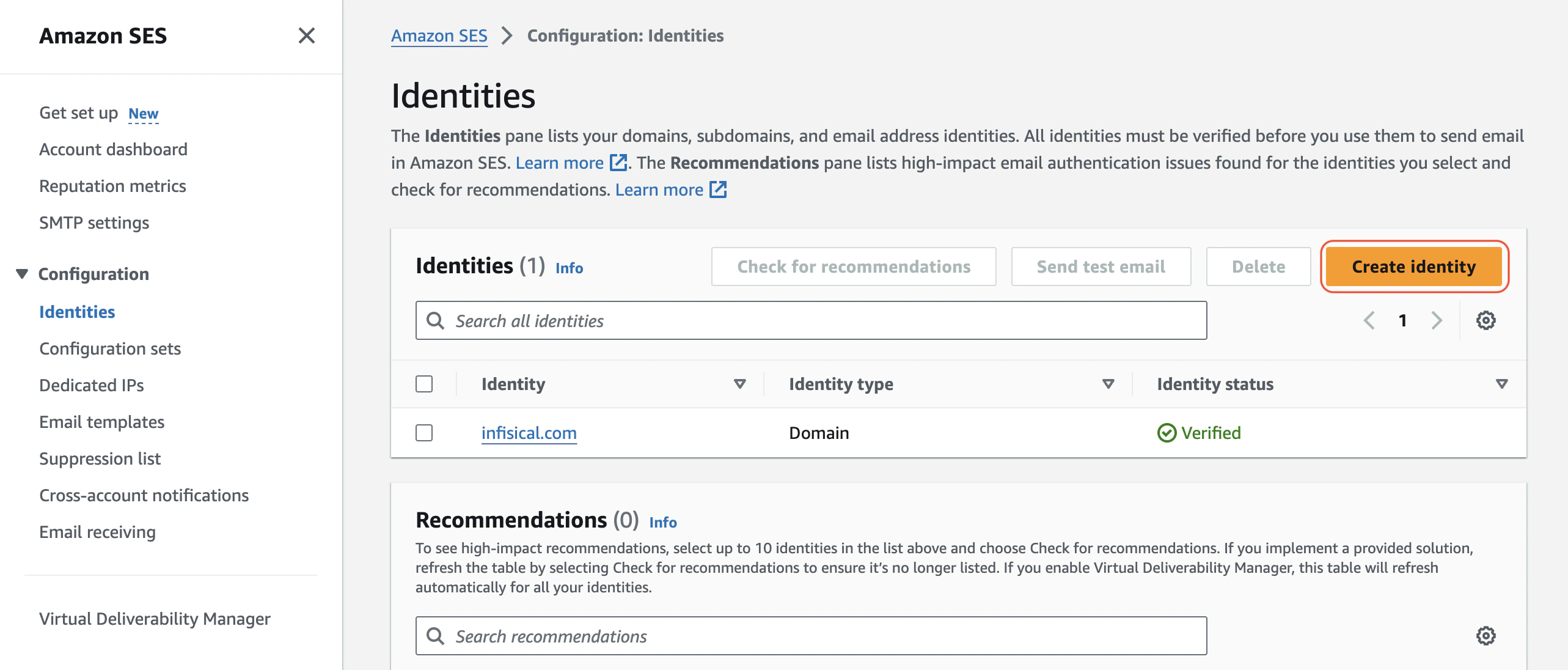
If your AWS SES is in sandbox mode, you will only be able to send emails to verified identities.
2

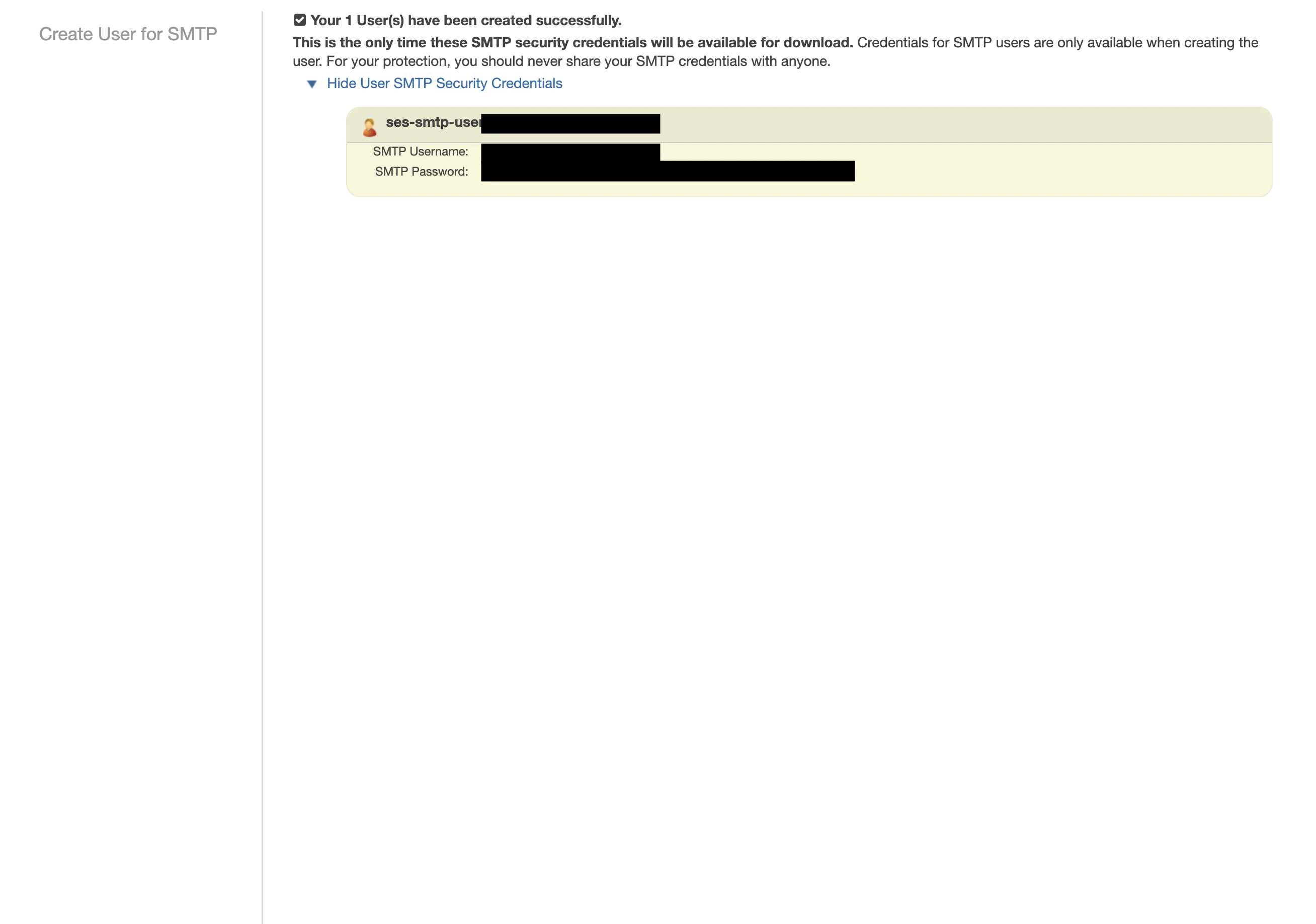
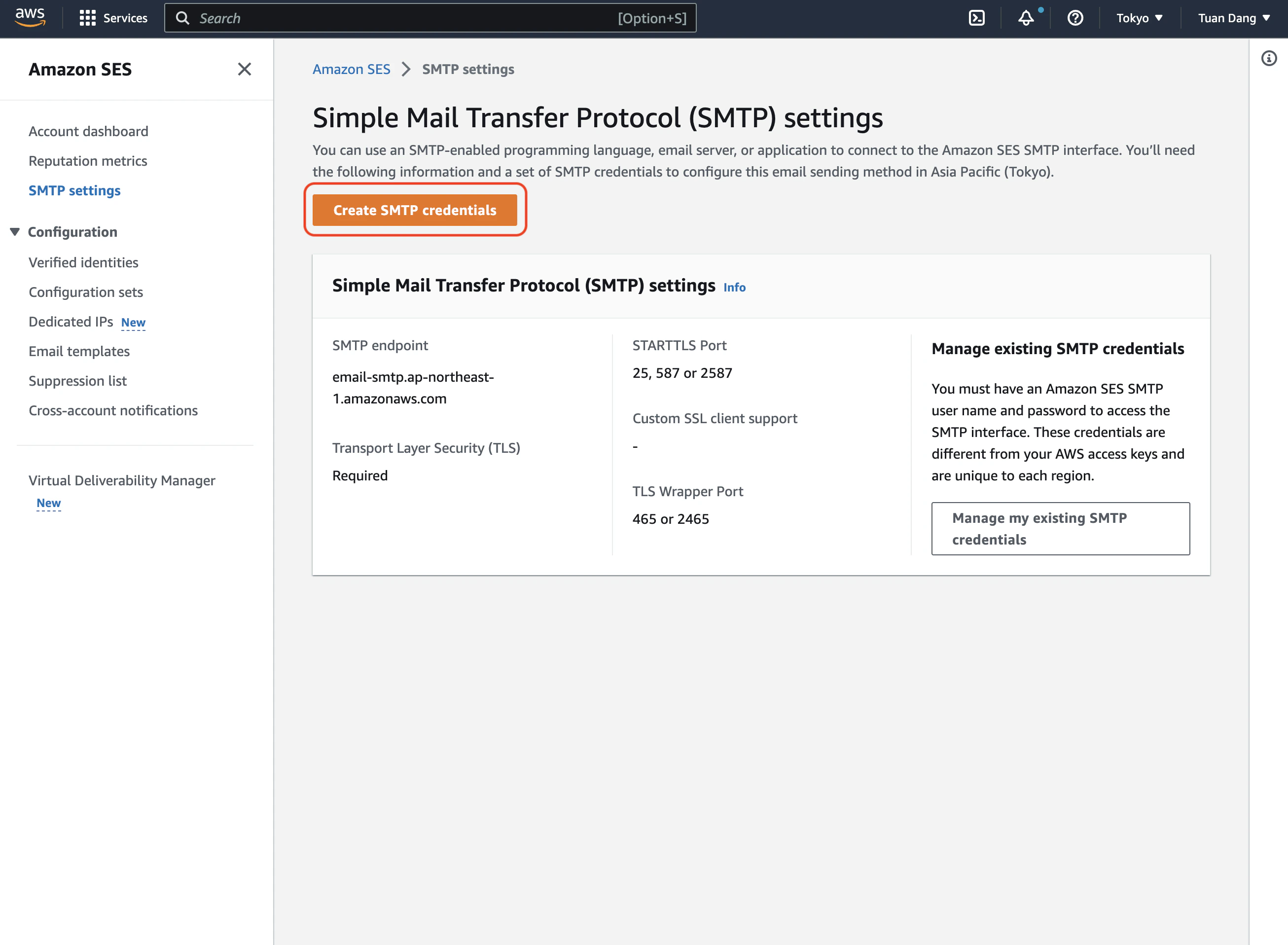
Create SMTP credentials

Create an IAM user for SMTP authentication and obtain SMTP credentials in SMTP settings > Create SMTP credentials.opening AWS SES consolecreating AWS IAM SES user
3

Set environment variables

With your AWS SES SMTP credentials, set your environment variables:
AGENT_VAULT_SMTP_HOST=email-smtp.ap-northeast-1.amazonaws.com # your SMTP endpoint
AGENT_VAULT_SMTP_USERNAME=xxx # your SMTP username
AGENT_VAULT_SMTP_PASSWORD=xxx # your SMTP password
AGENT_VAULT_SMTP_PORT=465
AGENT_VAULT_SMTP_FROM=hey@example.com
AGENT_VAULT_SMTP_FROM_NAME=Agent Vault
Remember to restart Agent Vault after changing environment variables.
  1. Create an account and configure SocketLabs to send emails.
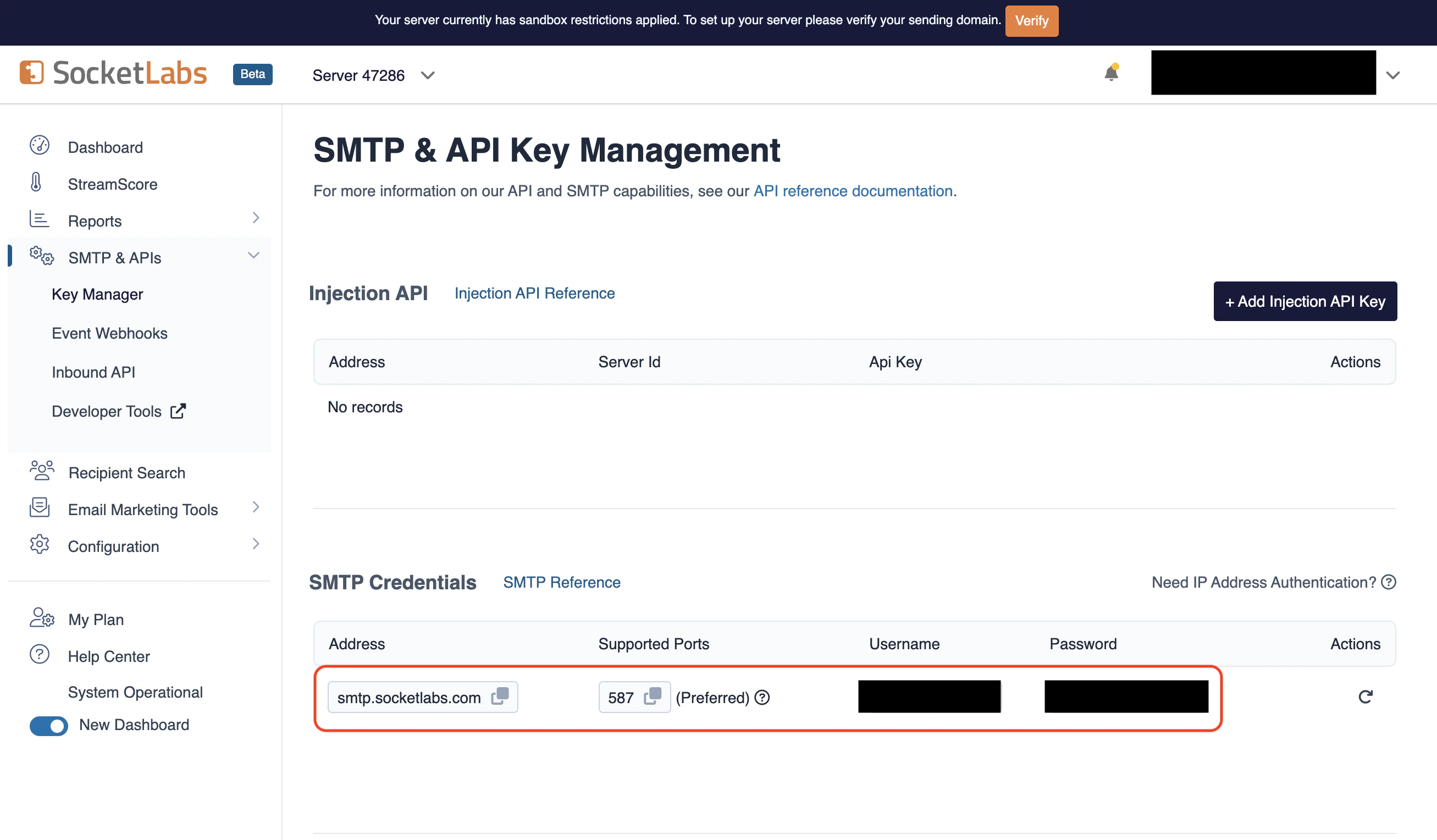
  2. From the dashboard, navigate to SMTP Credentials > SMTP & APIs > SMTP Credentials to obtain your credentials.
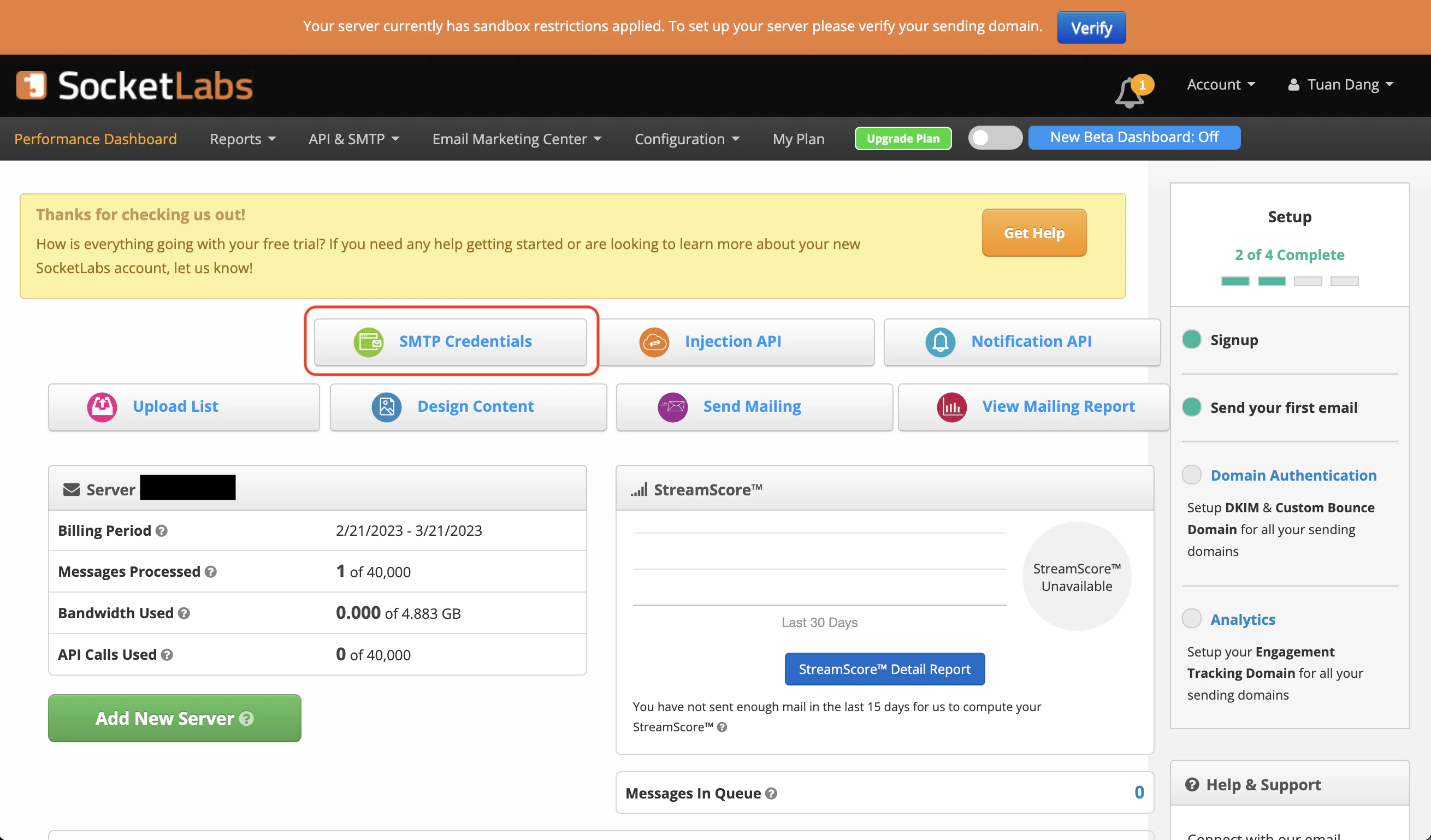
opening SocketLabs dashboardobtaining SocketLabs credentials
  1. With your SocketLabs SMTP credentials, set your environment variables:
AGENT_VAULT_SMTP_HOST=smtp.socketlabs.com
AGENT_VAULT_SMTP_USERNAME=username # from your credentials
AGENT_VAULT_SMTP_PASSWORD=password # from your credentials
AGENT_VAULT_SMTP_PORT=587
AGENT_VAULT_SMTP_FROM=hey@example.com
AGENT_VAULT_SMTP_FROM_NAME=Agent Vault
The AGENT_VAULT_SMTP_FROM should be an email for an authenticated domain under Configuration > Domain Management in SocketLabs. For example, if you’re using SocketLabs in sandbox mode, you may use an email like team@sandbox.socketlabs.dev.
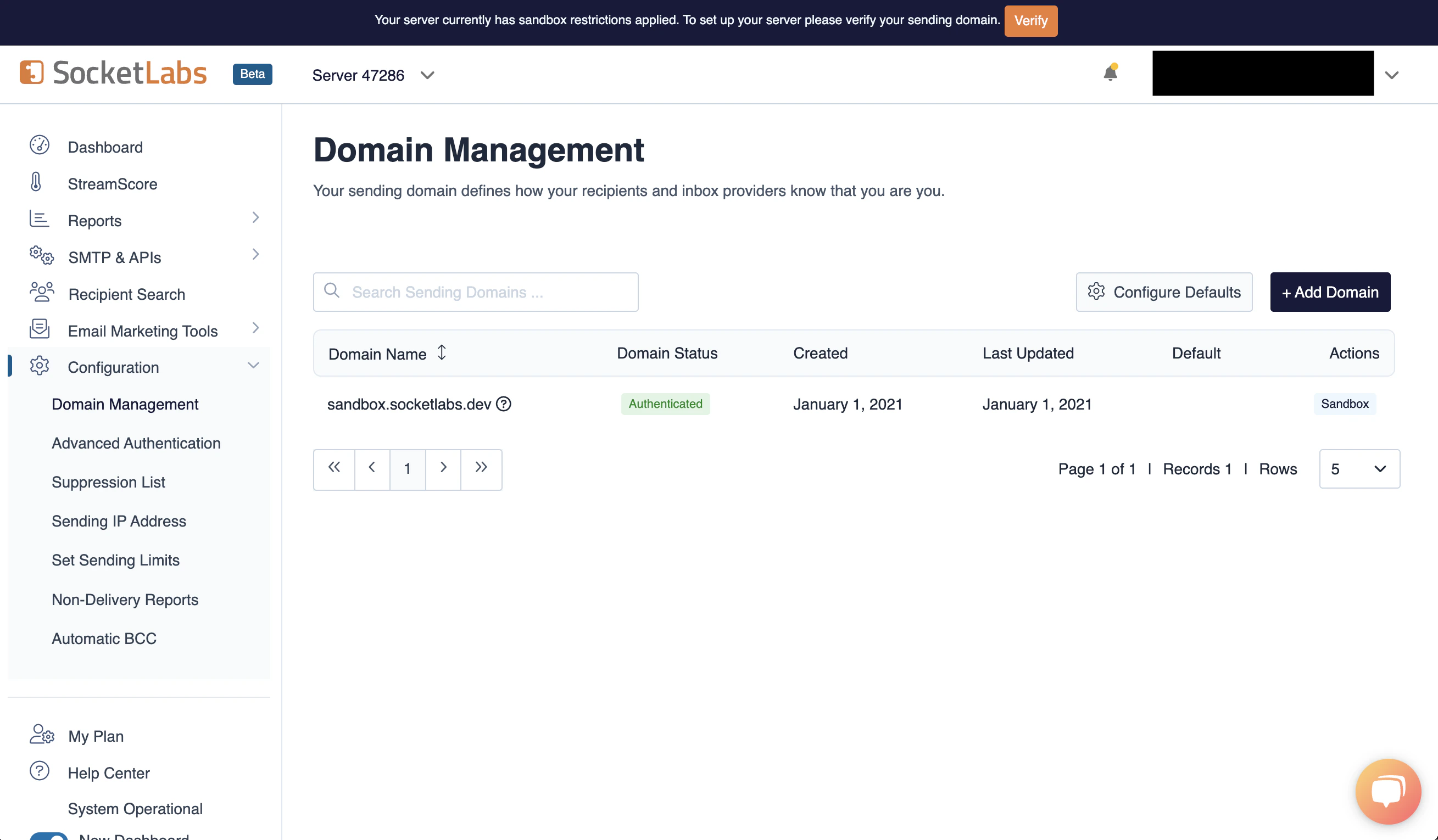
SocketLabs domain management
Remember to restart Agent Vault after changing environment variables.
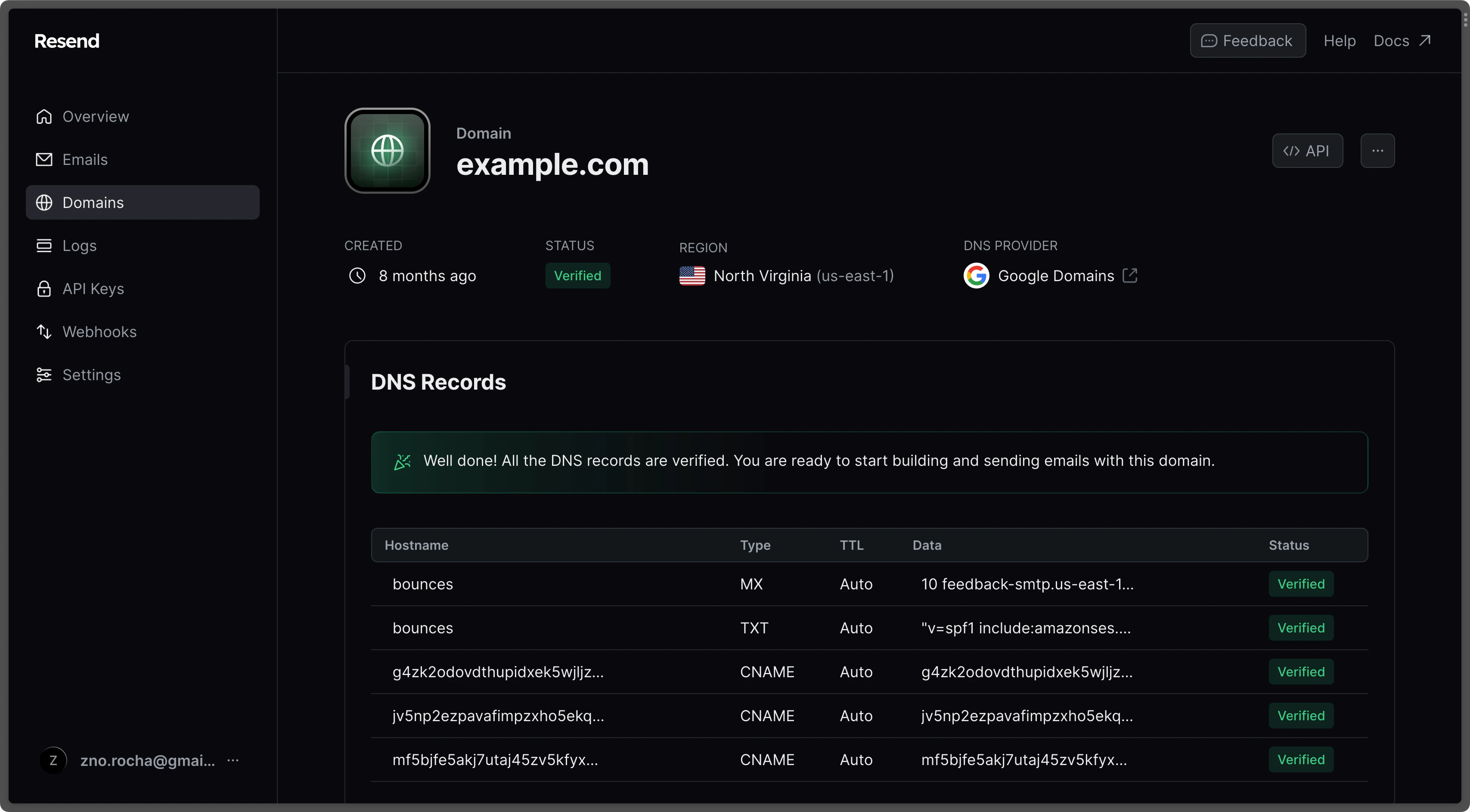
  1. Create an account on Resend.
  2. Add a Domain.
adding Resend domain
  1. Create an API Key.
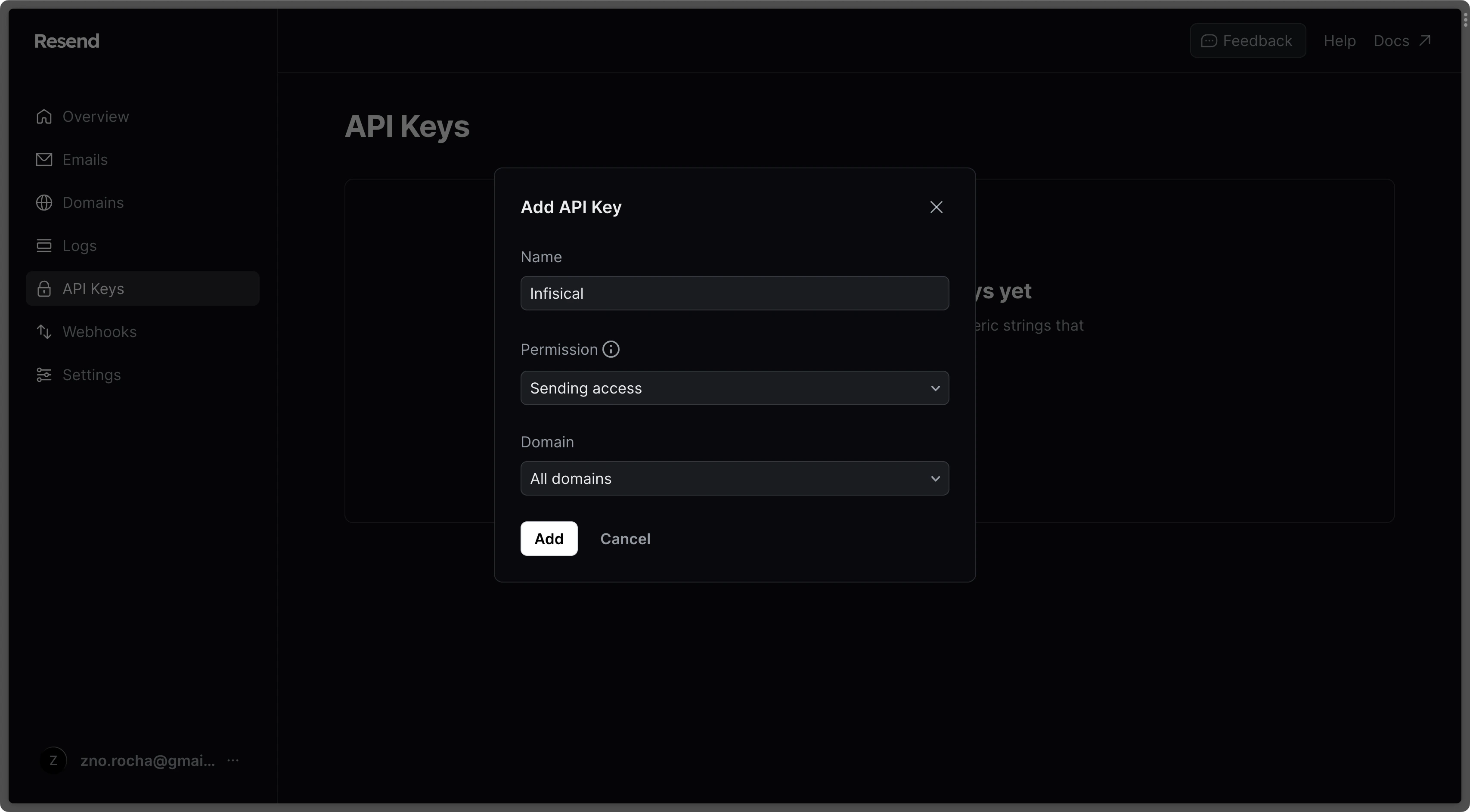
creating Resend API key
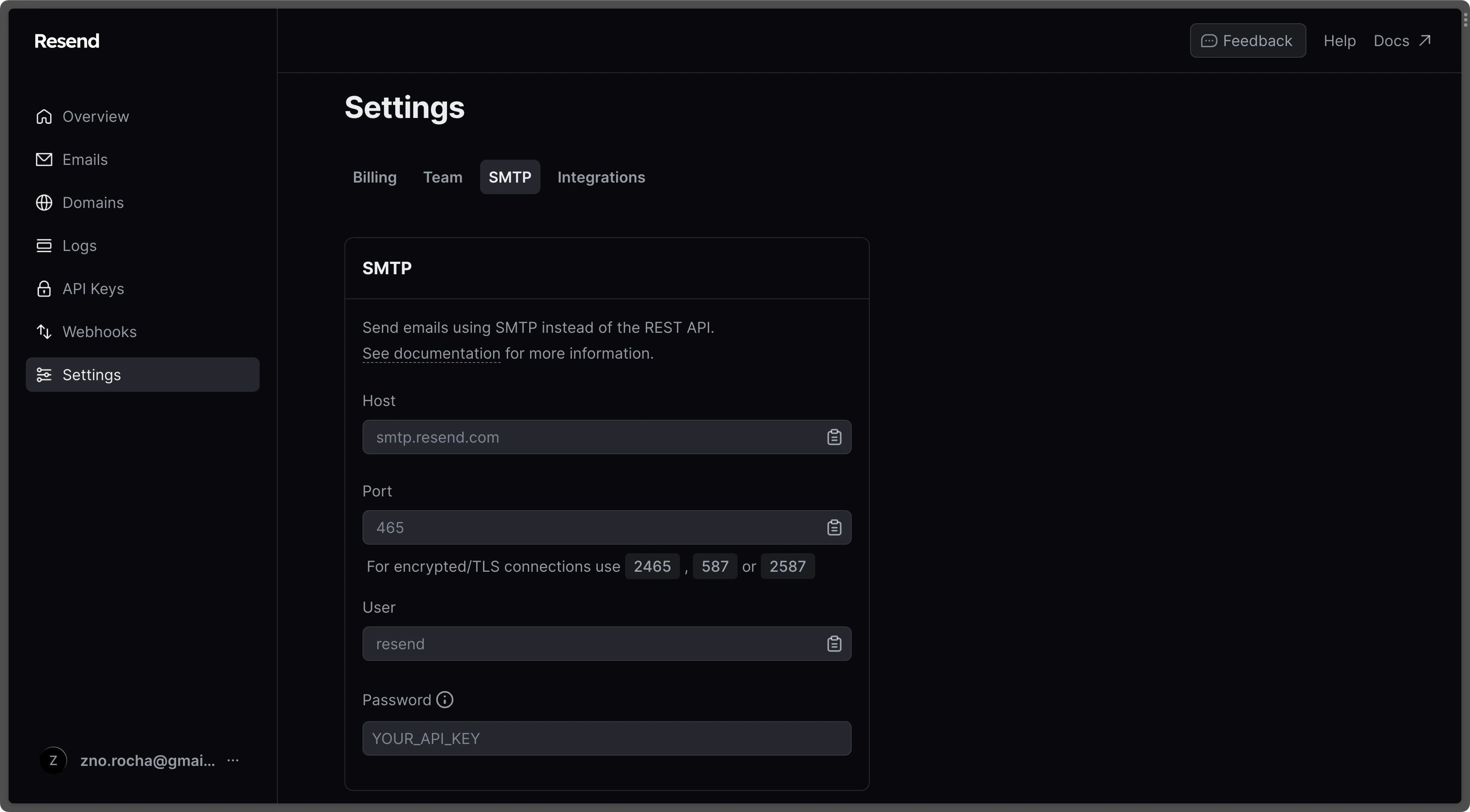
  1. Go to the SMTP page and copy the values.
Resend SMTP settings
  1. With the API Key, set your SMTP environment variables:
AGENT_VAULT_SMTP_HOST=smtp.resend.com
AGENT_VAULT_SMTP_USERNAME=resend
AGENT_VAULT_SMTP_PASSWORD=YOUR_API_KEY
AGENT_VAULT_SMTP_PORT=587
AGENT_VAULT_SMTP_FROM=hey@example.com
AGENT_VAULT_SMTP_FROM_NAME=Agent Vault
Remember to restart Agent Vault after changing environment variables.
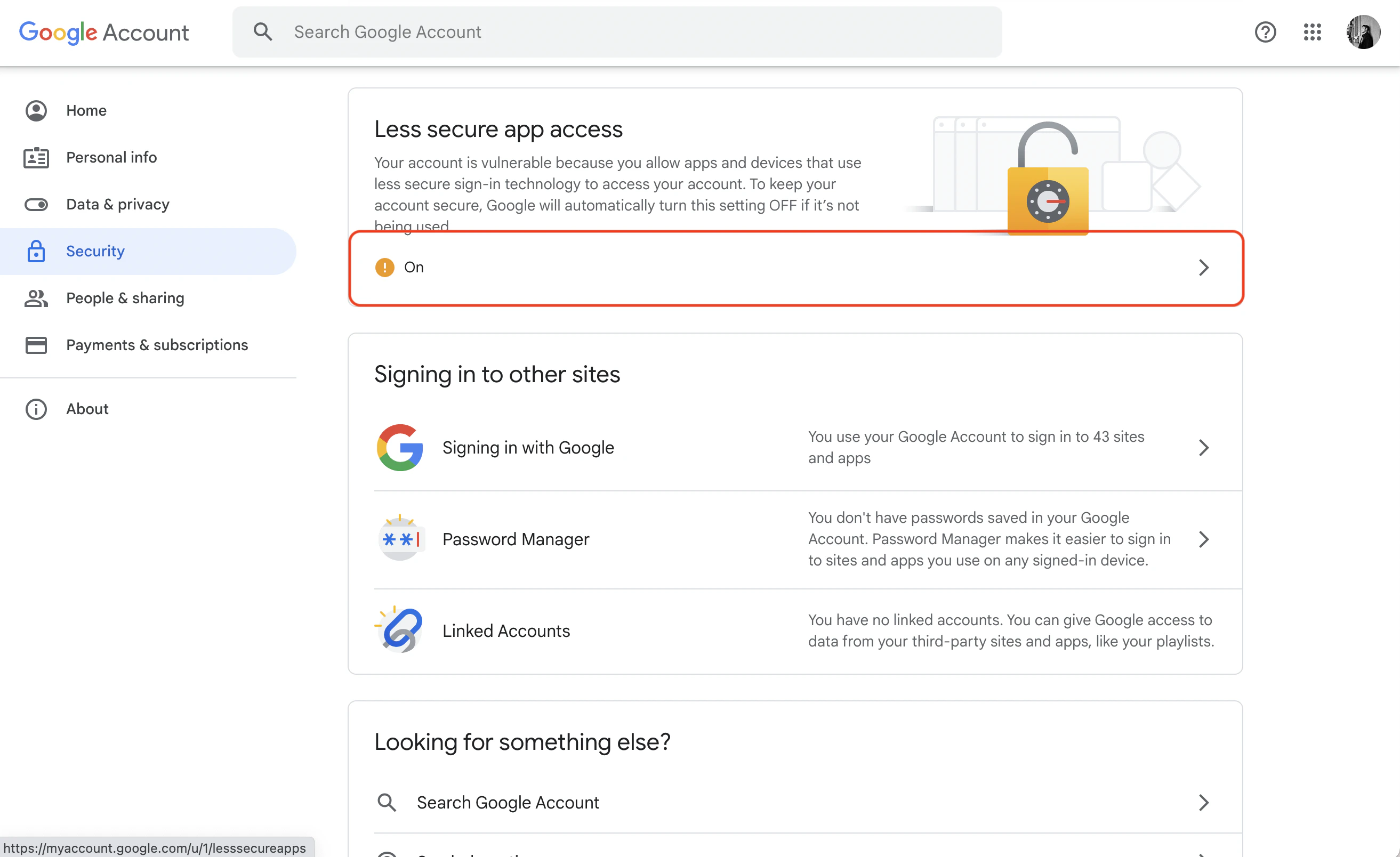
Create an account and enable “less secure app access” in Gmail Account Settings > Security. This allows applications like Agent Vault to authenticate via your username and password.Gmail secure app accessWith your Gmail credentials, set your SMTP environment variables:
AGENT_VAULT_SMTP_HOST=smtp.gmail.com
AGENT_VAULT_SMTP_USERNAME=hey@gmail.com
AGENT_VAULT_SMTP_PASSWORD=your-app-password
AGENT_VAULT_SMTP_PORT=587
AGENT_VAULT_SMTP_FROM=hey@gmail.com
AGENT_VAULT_SMTP_FROM_NAME=Agent Vault
As per the notice by Google, using Gmail credentials for SMTP only works for Google Workspace or Google Cloud Identity customers as of May 30, 2022. The SMTP configuration is only possible with business (not personal) Gmail credentials.
  1. Create an account and configure Office365 to send emails.
  2. With your login credentials, set your SMTP environment variables:
AGENT_VAULT_SMTP_HOST=smtp.office365.com
AGENT_VAULT_SMTP_USERNAME=username@yourdomain.com
AGENT_VAULT_SMTP_PASSWORD=password
AGENT_VAULT_SMTP_PORT=587
AGENT_VAULT_SMTP_FROM=username@yourdomain.com
AGENT_VAULT_SMTP_FROM_NAME=Agent Vault
  1. Create an account and configure Zoho Mail to send emails.
  2. With your email credentials, set your SMTP environment variables:
AGENT_VAULT_SMTP_HOST=smtp.zoho.com
AGENT_VAULT_SMTP_USERNAME=you@zohomail.com
AGENT_VAULT_SMTP_PASSWORD=password
AGENT_VAULT_SMTP_PORT=587
AGENT_VAULT_SMTP_FROM=you@zohomail.com
AGENT_VAULT_SMTP_FROM_NAME=Agent Vault
You can use either your personal Zoho email address like you@zohomail.com or a domain-based email address like you@yourdomain.com. If using a domain-based address, make sure you’ve configured and verified it with Zoho Mail.
Remember to restart Agent Vault after changing environment variables.
  1. Create an account and configure SMTP2Go to send emails.
  2. Turn on SMTP authentication and set your environment variables:
AGENT_VAULT_SMTP_HOST=mail.smtp2go.com
AGENT_VAULT_SMTP_PORT=587 # also supports 2525, 80, 25, 8025
AGENT_VAULT_SMTP_USERNAME=username
AGENT_VAULT_SMTP_PASSWORD=password
AGENT_VAULT_SMTP_FROM=hey@example.com
AGENT_VAULT_SMTP_FROM_NAME=Agent Vault
TLS is available on ports 2525, 80, 25, 8025, and 587. SSL is available on ports 465, 8465, and 443.

Verifying your configuration

After setting your SMTP environment variables and restarting Agent Vault, run:
agent-vault email test
This command requires an active login session as the instance owner. It sends a test email to the owner’s address. If it arrives, your SMTP configuration is working correctly.